








Help that pays attention.
Lutin is a personal AI companion with a built-in Markdown editor. Open it over the app you are using to ask questions, research current information, and turn useful answers into notes and documents you can keep editing.
Download LutinAsk without switching apps.
One shortcut brings this desktop AI assistant over the app you are already using. Ask a question, compare a few options, use it as an AI research assistant to look up current information, or draft a reply. When you are done, Lutin steps aside.
Learn more about Lutin for macOSEmail Cleaning
Archives spam and promotional emails automatically
Start when Gmail received
Check email is spam, promotional, or non-actionable
Then archive and mark as read
Slack Promise Tracker
Detects commitments and creates task notes
Start when you send a Slack message
Check message contains a commitment or promise
Then extract commitment to task
Cleans Your Workspace
Messy inbox, forgotten follow-ups, scattered files — Lutin sorts it out. He keeps track of what you promised, organizes your tasks, and makes sure nothing falls through the cracks.
Michael Scott
McLovin
Dunder Mifflin
dundermifflin.slack.com
Party Planning
party-committee.slack.com
Threat Level Midnight
tlm-prod.slack.com
Michael Scott
Bring your accounts together.
Connect Gmail, Slack, and Google Calendar in one place. Personal and work connections stay visible as separate accounts, so you can see exactly what is connected.
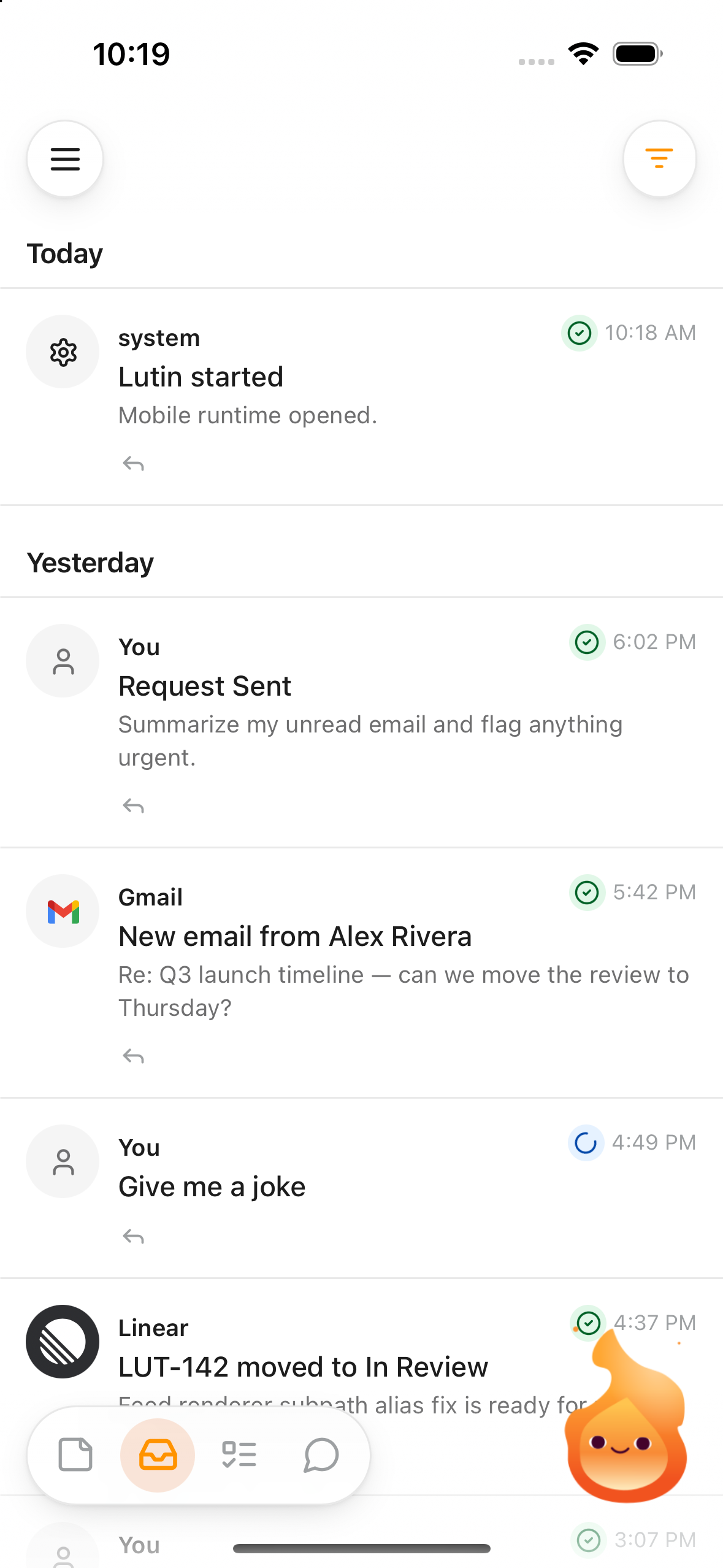
Take Lutin with you.
Ask from your iPhone, review your feed, and keep notes, tasks, and synced work moving when you are away from your Mac.
Learn more about Lutin for iPhoneToday
 You
YouArtem
Your context, relationships, and routines
Usually does focused work in the morning.
Prefers short, practical updates.
 Place
PlaceHome in Cyprus
The place where you live
 Plant
PlantMonet
Your monstera
Memory that asks first.
Lutin’s reviewable AI memory can remember people, places, projects, preferences, and details that make future help more relevant. When a mention is unclear, it can show what it noticed and ask how it relates to you instead of quietly treating a guess as fact.
Learn more about Lutin memoryChat for instructions. Markdown for the work.
Short conversation can stay in chat. The editable AI workspace turns substantial answers, drafts, summaries, and other useful output into Markdown Notes and Documents that you can keep working on.
Learn more about notes and documents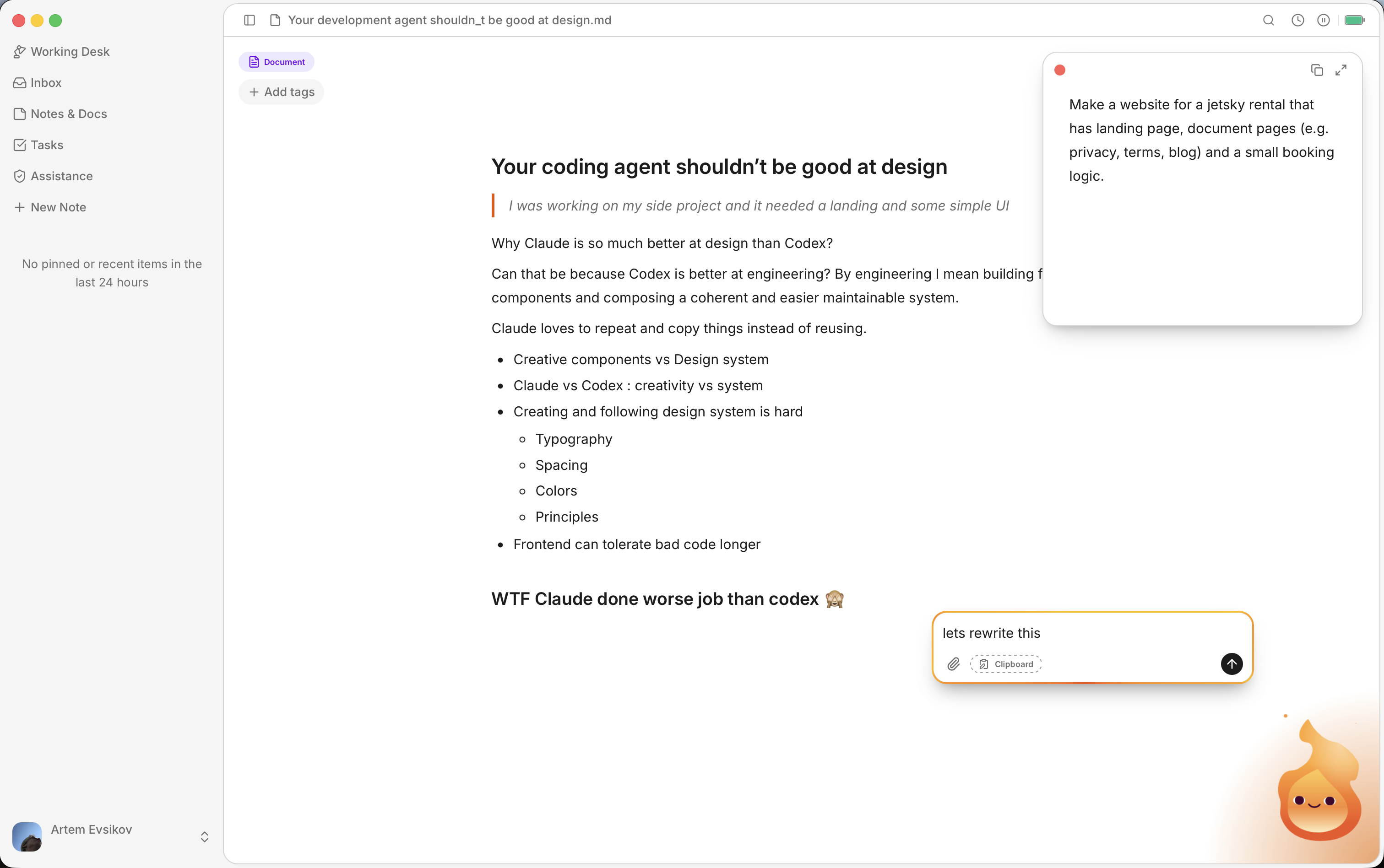
Pricing
Choose the plan that fits your workflow.
Loading account pricing…
FAQ
macOS 14.6 (Sonoma) or later for now. Other desktop and mobile platforms are coming later in 2027.
You don’t have to pay us straight away. You can even bring your own API key and never pay us at all.
Lutin protects data in transit with TLS, but signed-in account content can synchronize through Lutin’s cloud infrastructure. Ordinary synced content is not currently end-to-end encrypted. See Security & privacy and the Privacy Policy for details.
Yes! Go to Settings, select “Choose your own provider account”, pick your provider and model, then paste your API key. Keys are stored locally in the macOS Keychain.
Not yet. Tell us which setup you use so we can prioritize it.
Any other questions? Email us at [email protected], join Discord, or ask us on X.
Ask, remember, and make something worth keeping.
Download Lutin and try it with the next question in front of you.
Download Lutin